
Introducing the new Arboriculture Australia Reader
Your MIS library, reimagined. Read, annotate and manage your subscriptions from any device — anytime, anywhere.
We've rebuilt the Arboriculture Australia digital publications platform from the ground up. Whether you're a long-standing subscriber or new to the MIS series, the new Reader gives you a better, faster, and more professional experience — Live on the web now and mobile apps coming soon!
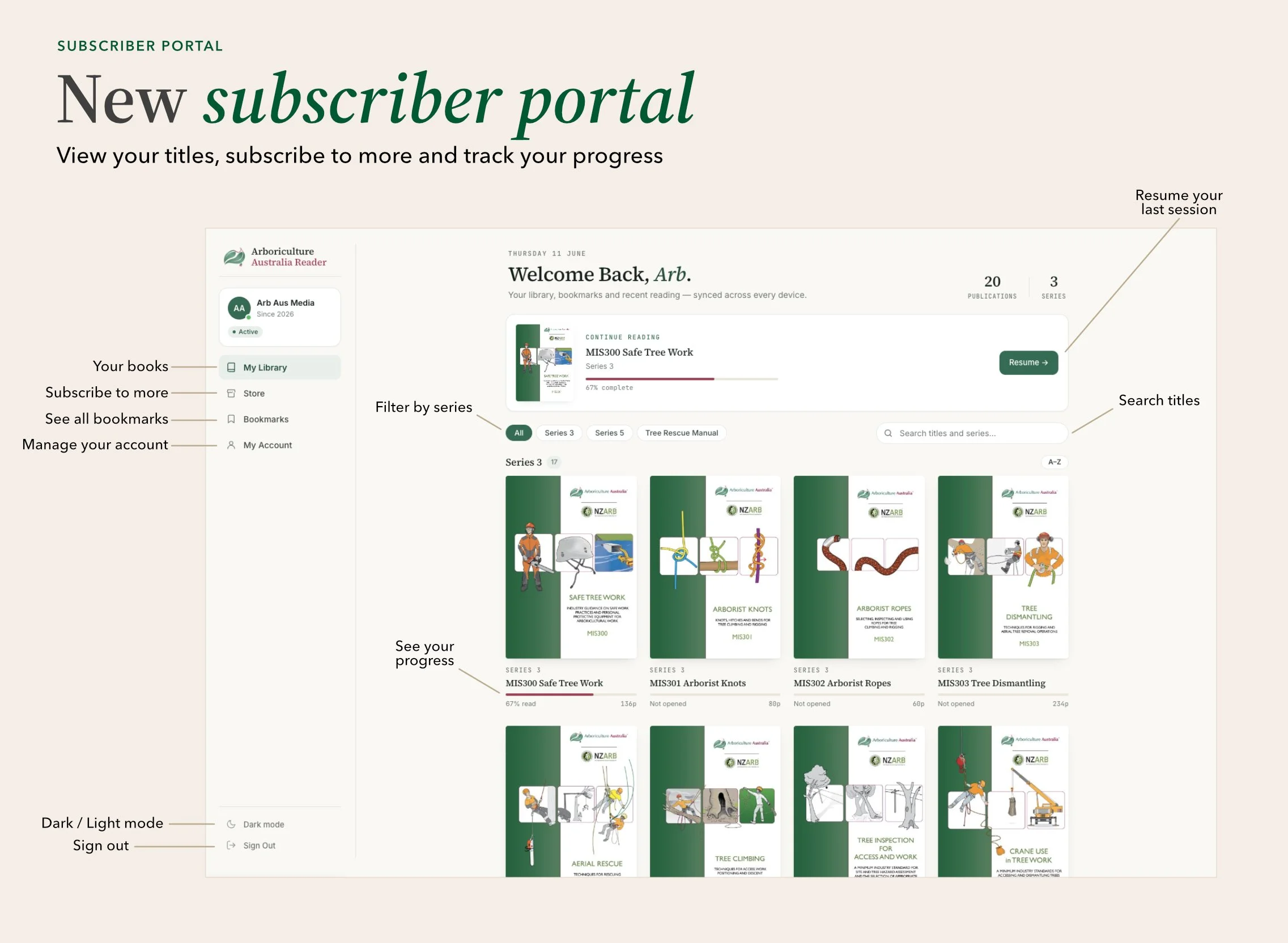
Subscriber portal
Your subscriber portal is your personal home for everything in the Reader. See all the publications included in your subscription, track your reading progress across titles, and pick up right where you left off.
Filter your library by series, search for specific titles, and head to the Store when you're ready to add more publications to your account. Your account details, subscription status and billing are all managed from one place.
iOS and Android apps on their way
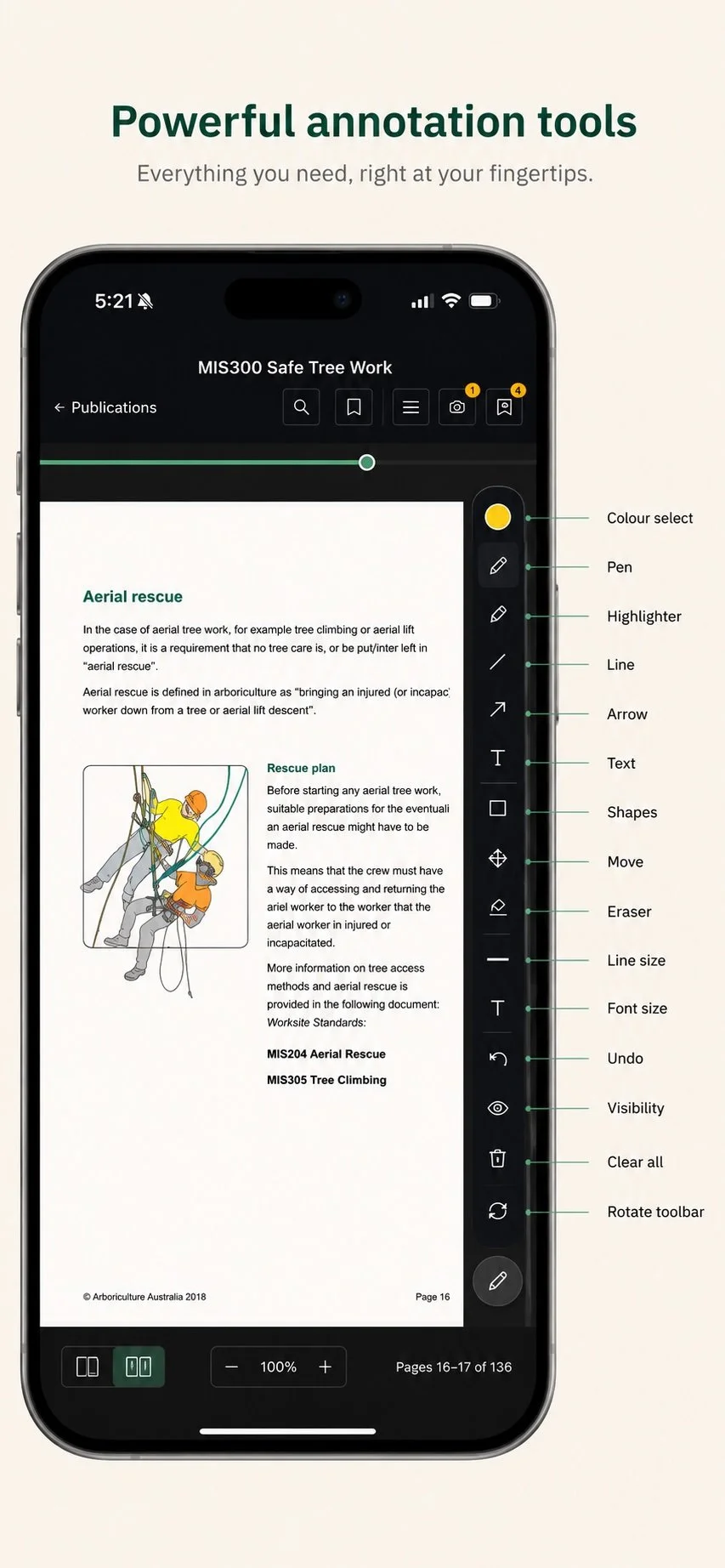
The Arboriculture Australia Reader is coming to iPhone, iPad and Android. Take your full library with you into the field — with offline reading so your publications are available even without a signal.
The mobile apps will include everything from the web reader, including annotations, bookmarks, and reading progress, synced seamlessly across all your devices.
Already a subscriber?
If you're an existing Arboriculture Australia digital publications subscriber, your access has been migrated to the new platform. Your subscription continues as normal — there's nothing you need to do.
Sign in with your email address to access your library. You'll receive a one-time verification code to your email address.
Your subscription renewal will continue on its existing schedule through the new system.
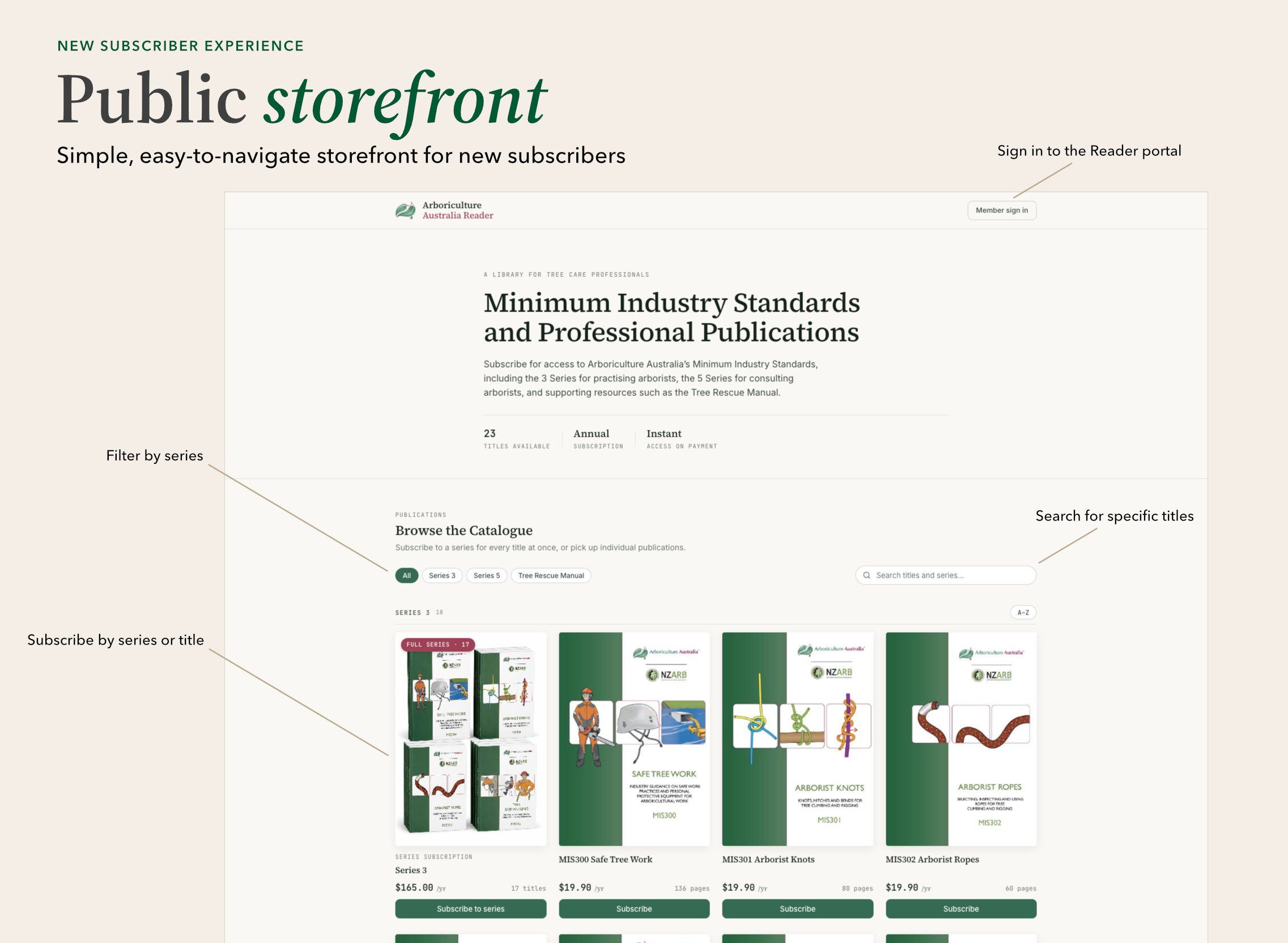
Public storefront
Finding and subscribing to the publications you need has never been easier. Browse the full catalogue, filter by series, and subscribe to individual titles or complete series — all from a clean, professional storefront.
New subscribers can browse every available title before committing to a subscription. When you're ready, access is instant from the moment payment is confirmed.
Reader interface
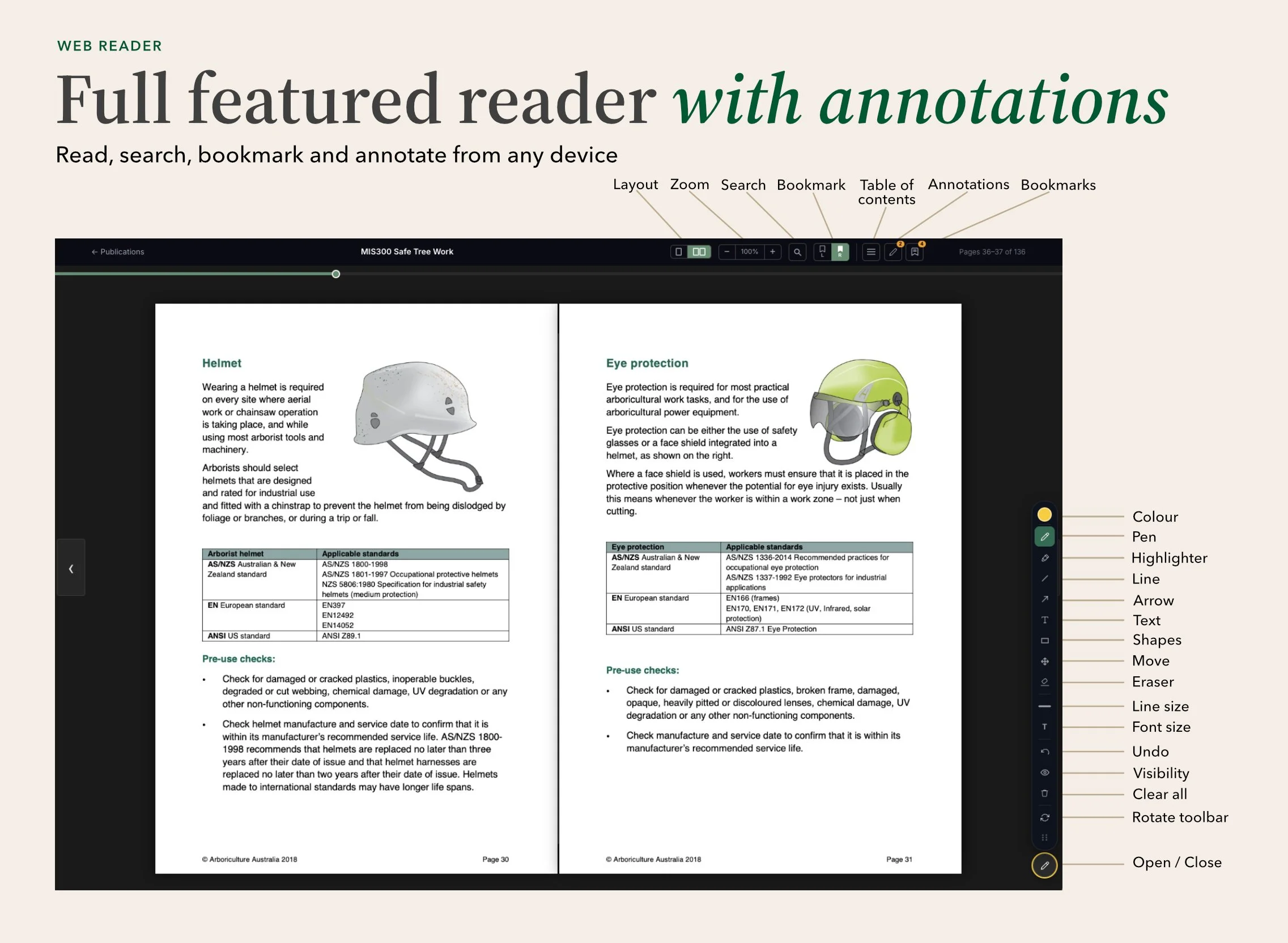
The new Reader isn't just a document viewer, it's a professional tool built for the way arborists actually work. Read side-by-side pages on a large screen, jump directly to sections via the table of contents, and annotate pages with a full suite of drawing and writing tools.
Your annotations, bookmarks, and reading progress are saved to your account and synced across every device you use. Pick up where you left off from your desk, your tablet on site, soon on a dedicated mobile app with offline access for the field.
Existing Subscriber FAQ
Do I need to create a new account? No. Your existing subscription has been migrated. Just sign in with your email address and you’ll be send a one time code just like the last system
Has anything changed about my subscription? Your subscription type, access, and renewal date are unchanged. The only difference is the new platform you're reading on.
How do I update or cancel my subscription? Log in to the new system and go to My Account. If you have a paid subscription, there will be a Manage Billing button under the subscription details.
I'm having trouble signing in — what should I do? First, check your spam, and maybe try one more time. If still no luck, contact us at enquiries@trees.org.au and we'll get you sorted out as quickly as we can.